

Why Knowing How to Check Your Thermostat Before Calling for Repair Can Save You Time and Money
If you’ve ever wondered how to check your thermostat before calling for repair, you’re not alone — and the good news is that the fix is often simpler than you think. Heating and cooling account for roughly 43% of a typical home’s energy bill, so when something feels off, the stakes are real. What surprises many Northern New Jersey homeowners is that around 25% of furnace repair calls turn out to be thermostat-related issues — not a broken furnace, not a failing compressor, just a thermostat that needs a fresh set of batteries or a quick settings check.
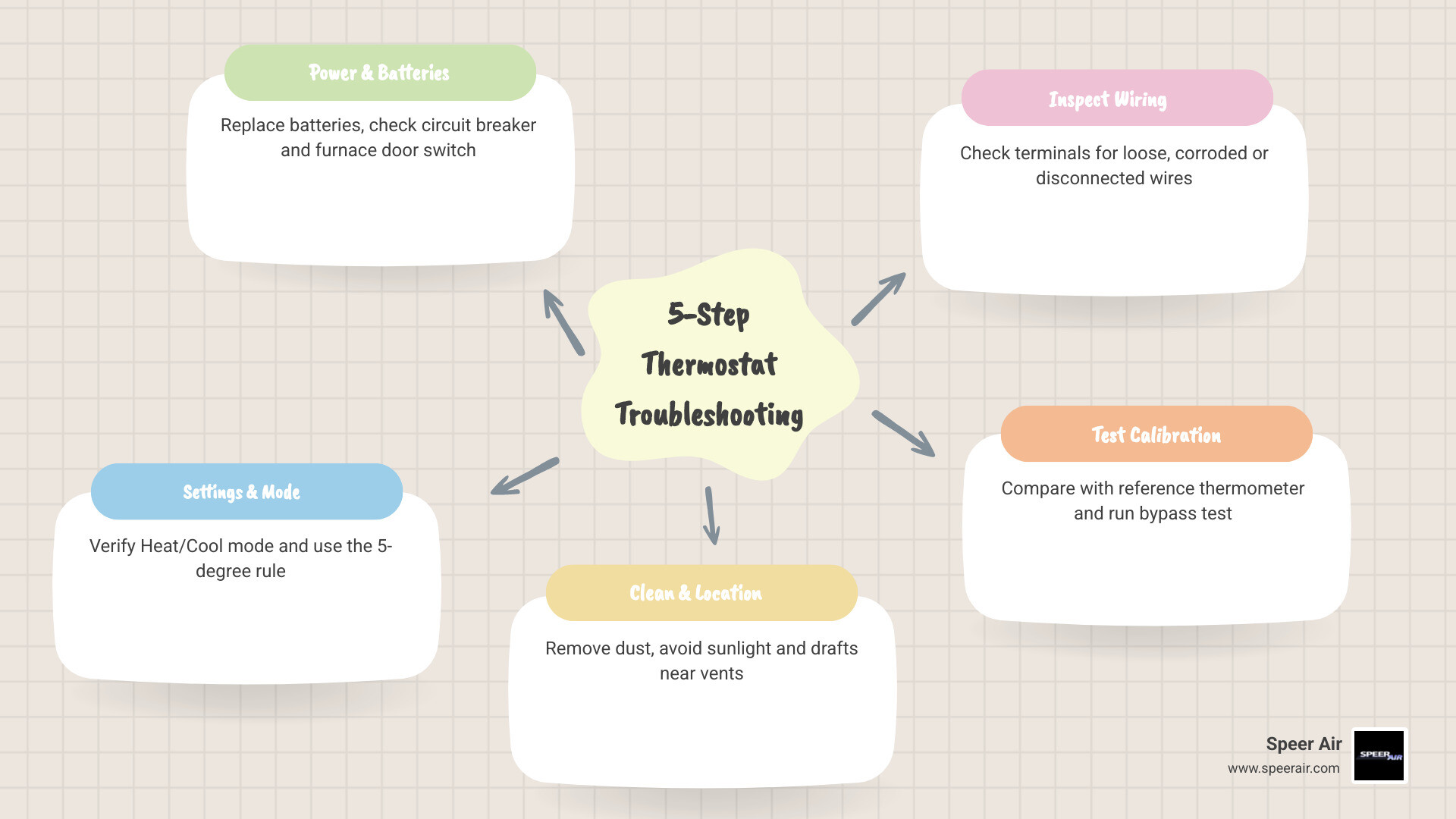
Before you pick up the phone, here are the five things to check first:
- Check power and batteries — Replace batteries and verify the circuit breaker hasn’t tripped.
- Verify your settings — Confirm the correct mode (Heat or Cool) and set the temperature at least 5°F from the current room temperature.
- Clean the thermostat and check its location — Dust buildup and poor placement near vents or sunlight cause false readings.
- Inspect the wiring — With power off, look for loose, corroded, or disconnected wires at the terminals.
- Test calibration and system communication — Compare the thermostat reading to a separate thermometer and listen for the system to respond.
Most of these checks take five minutes or less and require no special tools. The sections below walk you through each step in plain language, so you can troubleshoot with confidence and know exactly when it’s time to call a professional HVAC technician.
How to check your thermostat before calling for repair terms explained:
- ac circuit breaker keeps tripping what it means
- ac not turning on what to check first
- ac troubleshooting tips before calling a professional
Common Signs of a Malfunctioning Thermostat
Before diving into the step-by-step diagnostic process, it helps to understand what a misbehaving thermostat actually looks like. Because your thermostat acts as the “brain” of your heating and cooling system, its failures often masquerade as major mechanical breakdowns. You might think your air conditioner is on its deathbed when, in reality, your thermostat is simply having a bad day.

Keep an eye out for these classic warning signs of a malfunctioning thermostat:
- The Blank or Flickering Screen: If your digital display is completely dark or flashing erratically, the thermostat cannot send signals to your HVAC system.
- HVAC System Won’t Turn On or Off: You adjust the temperature, but nothing happens. Alternatively, the system might run continuously, refusing to shut down even after the house has turned into an icebox or a sauna.
- Frequent Short Cycling: This occurs when your furnace or air conditioner turns on, runs for two to five minutes, and then abruptly shuts off before reaching the set temperature. Short cycling places immense wear and tear on your compressor and blower motor.
- Temperature Mismatch: The thermostat display says it is 72°F, but you are shivering under three blankets. A physical temperature mismatch indicates that the internal sensor is failing or the unit is suffering from location bias.
- Unresponsive Buttons or Controls: Physical buttons that feel “sticky” or a touchscreen that refuses to register your touch are clear signs of physical wear.
- Sensor Drift: Over time, the internal temperature-sensing components (thermistors) in digital thermostats naturally degrade. A 10-year-old thermostat may read up to 2°F to 4°F off from factory calibration without showing any physical damage.
If your system is exhibiting these symptoms, you can narrow down the issue using our HVAC Troubleshooting Guide to see if the problem lies within your primary heating and cooling equipment or if it is indeed a control issue.
How to Check Your Thermostat Before Calling for Repair: The 5-Step Guide
To help you systematically diagnose your unit, we have compiled a quick-reference table comparing normal thermostat operation with faulty symptoms. This will help you decide if a quick DIY fix is possible or if you are dealing with a more complex electrical issue.
| Normal Operation | Faulty Symptoms | Likely Culprit |
|---|---|---|
| Screen is bright, clear, and responsive. | Screen is blank, flickering, or faded. | Dead batteries or tripped circuit breaker. |
| System turns on within 5 minutes of adjustment. | No click sound; system remains completely silent. | Loose wiring or blown low-voltage fuse. |
| Indoor temperature matches a separate thermometer. | Temperature reading is off by 3°F or more. | Sensor drift, dust buildup, or poor placement. |
| Fan runs only during heating/cooling cycles (Auto). | Fan runs constantly, blowing lukewarm air. | Fan setting is switched to “On” instead of “Auto”. |
| System runs for 10–15 minutes per cycle. | System turns on and off every 2 minutes. | Heat anticipator out of adjustment or dirty air filter. |
By following this structured approach, you can rule out the most common issues safely. Remember: always exercise caution when working with any electrical component. While low-voltage thermostat wiring (24V) is generally safe to handle, you should always shut off power at your home’s main breaker panel before opening the thermostat casing or touching any wires.
Step 1: Perform a Power and Battery Audit
The single most common reason for a “broken” thermostat is a simple lack of power. Even if your thermostat is wired directly into your home’s electrical system, many models still rely on backup batteries to retain programmed settings and power the digital display.
First, check the batteries. If your screen is blank or has a low-battery indicator, pop off the faceplate and replace the batteries. We highly recommend using high-quality, name-brand alkaline or lithium batteries. Avoid rechargeable batteries, as they can experience rapid voltage drops that prevent proper signal transmission to your HVAC system. As a preventive rule of thumb, make it a habit to change your thermostat batteries every New Year’s Day.
Next, head to your home’s main electrical panel. Look for the circuit breakers labeled “HVAC,” “Furnace,” or “Air Conditioner.” If a breaker has tripped to the middle position, switch it completely off and then back to the “On” position.
Finally, don’t overlook the furnace door switch. Most indoor air handlers and furnaces have a safety switch located behind the main blower compartment door. If you recently changed your air filter and didn’t slide the door back into place tightly, this safety switch will remain open, cutting off all 24V power (the C-wire) to your thermostat. Double-check that all equipment panels are securely closed.
Step 2: Verify Your Settings and Mode
It sounds incredibly simple, but you would be amazed at how many emergency service calls are resolved by simply switching the thermostat mode. During seasonal transitions in Northern New Jersey, it is easy to forget to update your settings.
Verify that your thermostat is set to the correct mode:
- “Heat” in the winter.
- “Cool” in the summer.
- “Auto” only if your system is designed to switch seamlessly between the two.
Next, check the fan setting. If your fan is set to “On”, the blower motor will run continuously 24/7, even when the system isn’t actively heating or cooling. This can lead to weak, lukewarm airflow and make you think your system is failing. Switch the fan setting to “Auto” so that it only blows air when a heating or cooling cycle is active.
To test if the thermostat is communicating with your HVAC unit, apply the 5-degree rule. If it is summer and your room temperature is 74°F, set the thermostat to 69°F (at least 5 degrees lower). Wait up to five minutes. Modern thermostats have a built-in compressor delay to prevent short cycling, so don’t panic if it doesn’t start instantly. If you hear a distinct “click” from the thermostat and your outdoor condenser kicks on, your communication lines are working.
Step 3: Clean the Thermostat and Check Location Bias
If you have an older mechanical thermostat (the kind with a physical dial or a sliding lever), dust is your worst enemy. Over time, mischievous dust bunnies, pet dander, and household debris settle inside the casing. This buildup acts as an insulator, trapping heat around the bimetal coil or mercury switch and causing highly inaccurate readings.
To clean it, carefully remove the outer cover. Use a soft-bristled brush, a clean paintbrush, or a can of compressed air to gently blow away any dust from the internal coils and contact points. If your mechanical thermostat has metal contact points, you can slide a clean dollar bill or a piece of heavy paper between them to gently scrub away any oxidation.
While cleaning, evaluate your thermostat’s physical location. Location bias is an invisible comfort killer. Up to 4°F of error can be introduced if your thermostat is mounted:
- In direct sunlight.
- Directly across from a drafty window or exterior door.
- Directly above or below a supply air vent.
- On an exterior wall that absorbs outdoor temperatures.
If your thermostat is located in a drafty hallway or near a sunny window, it will constantly misread the actual temperature of your living spaces, leading to uneven comfort and skyrocketing energy bills.
Step 4: Inspect the Wiring and C-Wire Connection
If the screen is still blank or the system refuses to turn on, it is time to look behind the curtain. Turn off the power at your circuit breaker before proceeding with this step. Once the power is safely cut, remove the thermostat from its wall-mounting base to expose the wiring terminals.
Modern thermostats use a standardized color-coded wiring system:
- R (Red): 24V Power supply from the transformer.
- W (White): Heating control.
- Y (Yellow): Cooling control.
- G (Green): Indoor blower fan.
- C (Common, usually Blue or Black): Provides continuous 24V power to digital and smart thermostats.
Here is our favorite pro-tip: use the smartphone photo trick. Before you touch or wiggle any wires, take a clear, high-resolution photo of the terminal connections. If a wire accidentally slips out during your inspection, you will know exactly where it belongs.
Look closely at the connections. Are the copper wires securely fastened under their respective terminal screws? Are there any signs of corrosion, green oxidation, or burnt insulation? If a wire looks loose, gently tighten the terminal screw. If the copper ends are heavily oxidized, you can use a pencil eraser to gently clean the metal before securing it back into place.
Step 5: Test Calibration and System Communication
To determine if your thermostat is reading the room temperature accurately, you need to perform a calibration check.
Place a calibrated digital reference thermometer on the wall directly next to your thermostat. Make sure the thermometer does not touch the wall itself (you can tape a small piece of cardboard behind it to isolate it). Leave it there for 15 to 20 minutes to allow the sensor to stabilize.
Compare the reading on the reference thermometer to the display on your thermostat. A temperature difference of 1°F to 2°F is perfectly normal and within acceptable manufacturing tolerances. However, if the discrepancy is 3°F or greater, your thermostat is suffering from sensor drift and needs to be recalibrated (if your digital model allows for a calibration offset in the installer settings) or replaced entirely.
If you are comfortable with basic electrical diagnostics, you can perform a manual bypass test using a small jumper wire. With the power off, disconnect the R (power) and W (heat) wires from their terminals and twist them together, or use a jumper wire to connect the R and W terminals. Turn the circuit breaker back on. If your furnace immediately fires up, you have successfully isolated the problem: your HVAC equipment is completely fine, and your thermostat is the component that needs replacement.
Advanced Diagnostics: Thermostat vs. HVAC System Issues
Sometimes, what looks like a thermostat failure is actually your HVAC system protecting itself. For instance, almost all modern cooling systems have a built-in compressor delay. If you rapidly adjust the temperature up and down, the system will lock out the compressor for up to five minutes to prevent high-pressure damage. If your system doesn’t turn on immediately, wait ten minutes before assuming something is broken.
Additionally, a severely clogged air filter can restrict airflow so drastically that your furnace’s high-limit switch trips, or your AC evaporator coils freeze solid. In both cases, the HVAC system will shut down entirely, ignoring any signals sent by the thermostat. Always check your air filter before assuming your control board is dead.
To learn more about how modern controls optimize your entire heating and cooling setup, check out our guide on the Power of Smart Thermostats for Enhanced HVAC.
How to Check Your Thermostat Before Calling for Repair for Short Cycling
Short cycling is incredibly hard on your heating and cooling equipment. Every time your system starts up, it draws a massive amount of electrical current, placing stress on the compressor and blower motor.
If your system is short cycling, check these three thermostat-related factors first:
- Improper Anticipator Settings: On older mechanical thermostats, there is a small metal slider called a heat anticipator. If this is set incorrectly, it tells the furnace to shut off too early.
- Poor Placement: If a supply vent is blowing cold air directly onto your thermostat during the summer, the thermostat will think the room has reached the setpoint in just two minutes and shut the system down, even though the rest of the house is still warm.
- Miscalibrated Sensors: If your thermistor is failing, it will send erratic temperature signals to your control board.
Upgrading to a modern, programmable unit can completely eliminate these control-related cycling issues. Read more about these advantages in our article on Smart Thermostats and Their Benefits.
How to Check Your Thermostat Before Calling for Repair with a Ductless System
Ductless mini-split systems operate a bit differently than traditional central HVAC systems. Instead of a single wall-mounted thermostat, ductless systems often rely on handheld remote controls or wall-mounted wireless controllers that communicate via infrared (IR) signals.
If your ductless system is unresponsive:
- Check the Remote Batteries: Replace the batteries in your remote control. Weak batteries may power the remote’s LCD screen but lack the strength to send a strong infrared signal to the indoor wall unit.
- Clean the Infrared Receiver: Wipe down the receiver window on the front panel of your indoor mini-split unit. Dust or grime can block the line-of-sight signal.
- Check for Signal Interference: Ensure there are no large furniture pieces, tall plants, or decorative items blocking the path between your remote and the wall unit.
If you are struggling with temperature control on a mini-split, you can find detailed solutions in our guide on Resolving Thermostat Issues with Ductless System.
Frequently Asked Questions About Thermostat Troubleshooting
Why is my thermostat screen blank even after changing the batteries?
If you have replaced the batteries with fresh alkalines and the screen remains blank, your system has likely lost its 24V common power supply. This is usually caused by a tripped circuit breaker, an open furnace blower door switch, or a blown low-voltage fuse on your indoor air handler’s control board. If your system experienced an electrical surge, the 24V transformer itself may have failed, requiring professional replacement.
How often should I replace my thermostat?
On average, residential thermostats have a functional lifespan of approximately 10 years. While mechanical thermostats can physically last longer, their internal components drift significantly over time, leading to poor energy efficiency. If your thermostat is over a decade old, upgrading to a modern smart model will easily pay for itself in energy savings within the first year or two.
If you are located in Morris County or the surrounding areas, you can explore local upgrade options through our Smart Thermostat Rockaway NJ service page.
Can a bad thermostat really increase my energy bills?
Yes, absolutely. If your thermostat’s internal sensor drifts by just 3°F, your system will run hours longer than necessary every single week. According to the U.S. Department of Energy, each degree of unnecessary heating or cooling increases your energy consumption by approximately 1% per eight-hour period. Over a long New Jersey winter or a humid summer, that minor calibration error translates directly into hundreds of dollars in wasted utility costs.
Conclusion
Taking a few minutes to troubleshoot your thermostat can save you from an unnecessary service call and get your home back to a comfortable temperature in no time. However, if you have verified the power, swapped the batteries, cleaned the terminals, and your system still refuses to cooperate, it is time to call in the experts. Attempting to bypass complex safety controls or handle high-voltage wiring without proper training can damage your expensive HVAC equipment and pose safety risks.
At Speer Air, we have been keeping Northern New Jersey homes comfortable since 1900. As a family-owned business with deep roots in the heating industry, we bring over 120 years of experience to every job. Our NATE-certified technicians are experts in diagnosing and repairing all major brands of heating and cooling equipment. Whether you are in Rockaway, Denville, Morris County, or any of our other service areas across Bergen, Passaic, Sussex, and Warren counties, we are here for you with 24/7 emergency service.
Don’t let a finicky thermostat compromise your home’s comfort. Contact us today to get your system running flawlessly!